Version history

Every Torchday update since 12 Oct 2026, in the same words the app shows you when it offers the update. Torchday updates itself, so you're always on the newest one.

Latest: 1.16 · 15 releases
1.20
16 Oct 2026
Coming soon

New

  • Torchday is now Torchday. Same app, same habits, streaks and account: just a new name and a new flame icon. Carry the torch, every day.

Changed

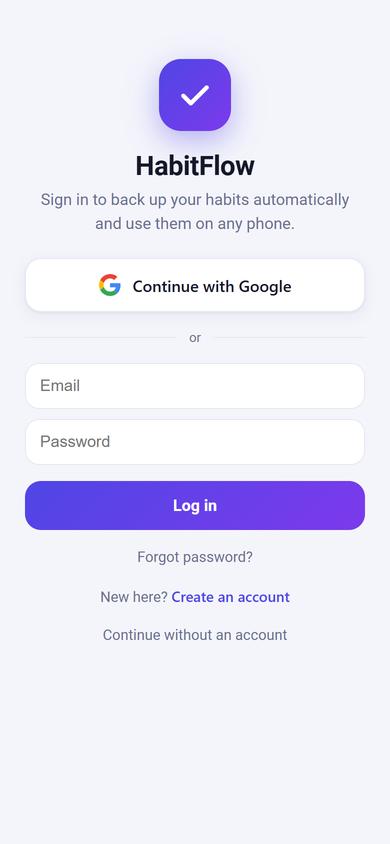
  • New app icon (a bold flame) on your home screen, in notifications and on the log-in screen.
  • The log-in screen shows the new name and the tagline.
1.19
16 Oct 2026
Coming soon

New

  • Safer log-in with email: after your password and a quick human check, we email you a code to finish logging in, every time. Someone who learns your password still can't get in.
  • Create an account with Google or with email.
  • Forgot password? is on every log-in screen, including the code screen.

Changed

  • New passwords need at least 10 characters.
  • Resetting your password signs out your other phones.
  • Three wrong codes and you'll need a new one.
1.18
15 Oct 2026
Coming soon

New

  • Health tab: track calories by typing a food and how much (like Roti · 2 or Rice · 150 g); calories, protein, carbs and fat are worked out for you from a built-in list of Indian foods. Foods that aren't listed are remembered after you enter them once.
  • Daily calorie and macro goals from your profile, which you can change.
  • Sleep: log when you went to bed and woke up and how you slept, with a 7-night chart.
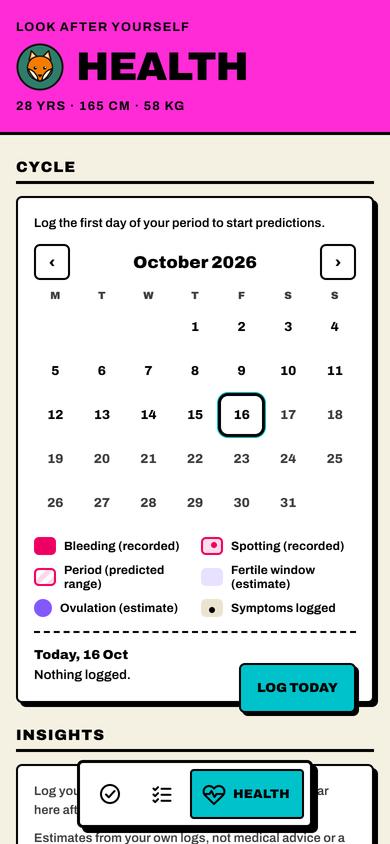
  • Cycle tracker (for women): log bleeding or spotting and symptoms; the calendar shows predicted periods, the estimated fertile window and ovulation, plus insights from your cycles and a reminder 2 days before your period.
  • Your profile: name, date of birth, height, weight, gender and an avatar, picked from 16 characters drawn for Torchday. After signing up (or if you're signed in and haven't made one yet) you'll be asked to create it.

Changed

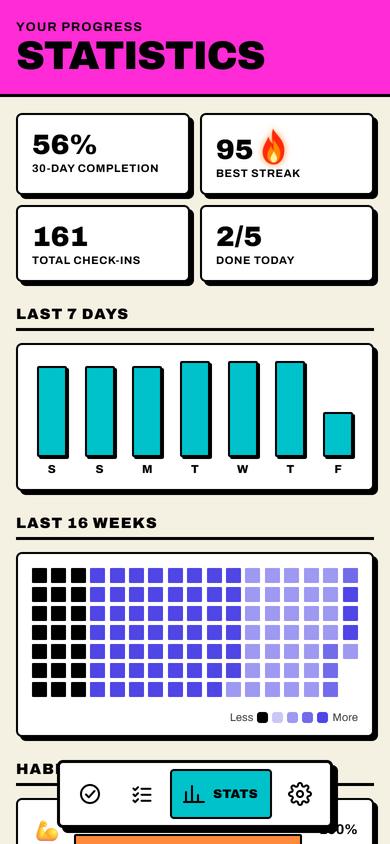
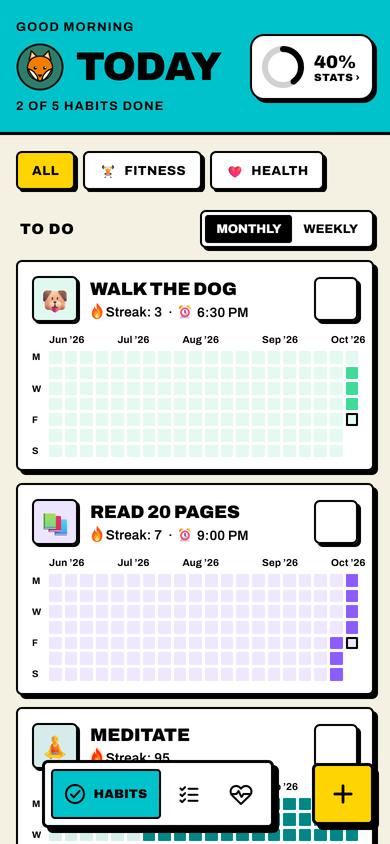
  • The bottom bar is now Habits, To-do and Health. Tap your avatar (beside each page title) for Settings, and the Stats button on Habits for your stats.
  • The category chips on Habits show only the categories you use.
  • Settings opens as its own page without the bottom bar; Back returns to where you were.
Health tab
After: Health tab
Before: Health tab
Before · 1.17After · 1.18
Avatar and Stats button
After: Avatar and Stats button
Before: Avatar and Stats button
Before · 1.17After · 1.18
1.17
15 Oct 2026
Coming soon

Changed

  • The home-screen widget now looks like the To-do Timeline, in your theme: square tick boxes, the Now line with the time, and the same cards. Tap a box once to tick it; tap anywhere else to open Torchday.
  • The Timeline always shows the Now line with the current time, even when nothing has a time.
  • Swiping between tabs works anywhere on the page, including the empty space below the list.
  • Adding an exercise no longer shows a kind label; the controls show what's needed.

Removed

  • Screen time on the widget, and Torchday's request for Usage access.

📷 This update redraws the home-screen widget; the app itself looks the same.

1.16
14 Oct 2026
Latest

New

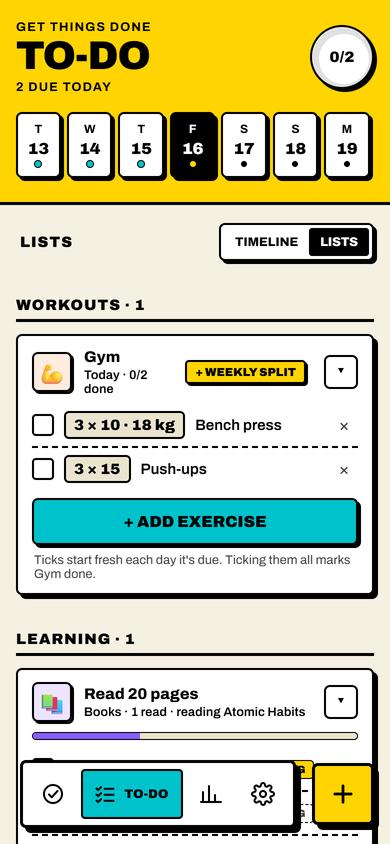
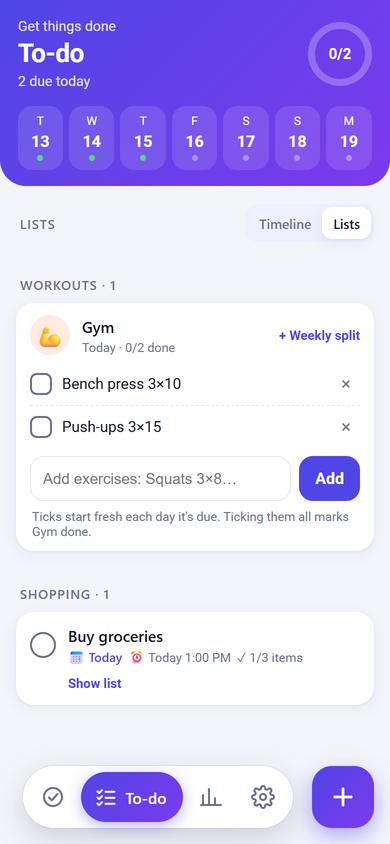
  • Learning lists: habits like Learn Spanish, Practice DSA or Read get a list in To-do → Lists. Add the topics you'll cover or the books you want to read; ticks stay until you untick them, and the next topic is marked Up next. Topic suggestions for DSA and languages.
  • Books can be marked Reading (as many as you like), then ticked when you finish them.
  • Every list in Lists (workouts, learning, shopping) can be collapsed to just its title and progress. The app remembers which ones you folded.
Learning lists
After: Learning lists
Before: Learning lists
Before · 1.15After · 1.16
1.15
14 Oct 2026

New

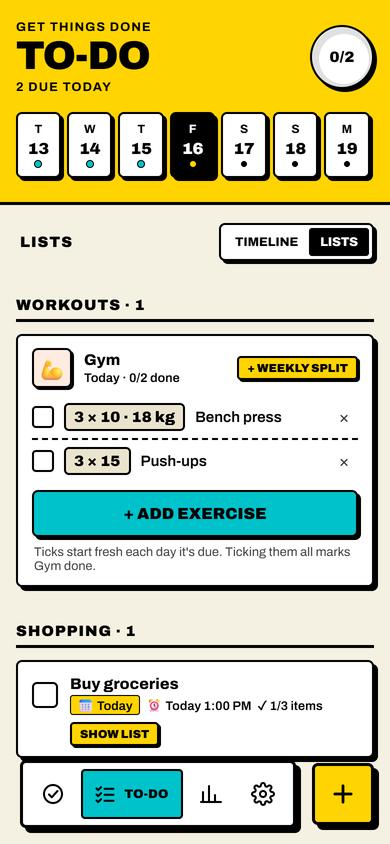
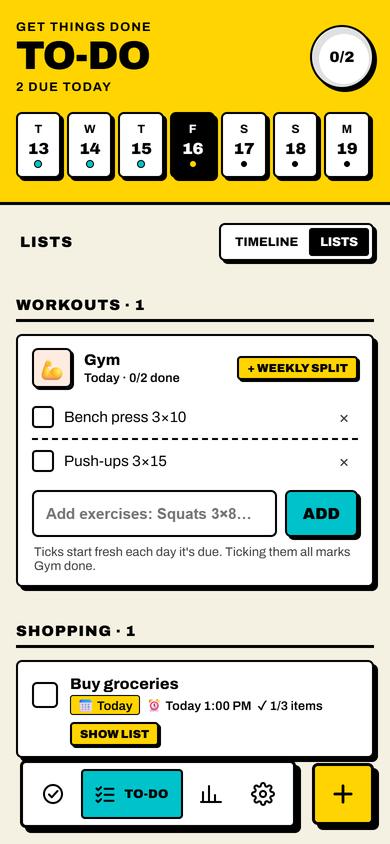
  • Workouts: each exercise has its own sets and reps (3 × 10 to start), shown as a badge like 3 × 10 · 40 kg. Type the exercise first and the − / + controls fit it: weight for lifts, time for holds like Plank, minutes for cardio. Bodyweight exercises can add a weight too.
  • Exercise names autofill as you type, and each lift starts at the weight you used last time.
  • Your past habit, task and exercise names and your last weights now sync to your account, so autofill knows them on every phone.
  • Tap an exercise in Lists or the weekly split to change it, like bumping the weight mid-workout.
  • Weight in kg or lb (Settings → Appearance → Weight).

Changed

  • Exercises you already have, like Squats 3×8, are shown in the new layout.
  • New gym habits get the 💪 icon.

Removed

  • The Check for updates button. Torchday checks by itself, and a new version shows at the top of Settings.
Sets × reps
After: Sets × reps
Before: Sets × reps
Before · 1.14After · 1.15
1.14
14 Oct 2026

New

  • Name autofill: as you type a habit or task name, the rest of a likely name shows in grey. Tap the box again to complete it. A few other matches show underneath; tap one to use it. Your own past names come first, so tasks you've had before are quick to add again.

📷 Autofill shows up while you type a habit or task name.

1.13
14 Oct 2026

New

  • Themes: pick the look for Light and Dark in Settings → Appearance. Light: Paper, Mint, Lavender or Clean. Dark: Navy, AMOLED (true black), Espresso or Gold. Light mode shows the light themes and Dark the dark ones; Auto shows both.

Changed

  • Syncing uses much less mobile data: the app checks whether anything changed first and only downloads your habits when it did.

📷 Themes are picked in Settings → Appearance on your phone.

1.12
14 Oct 2026

New

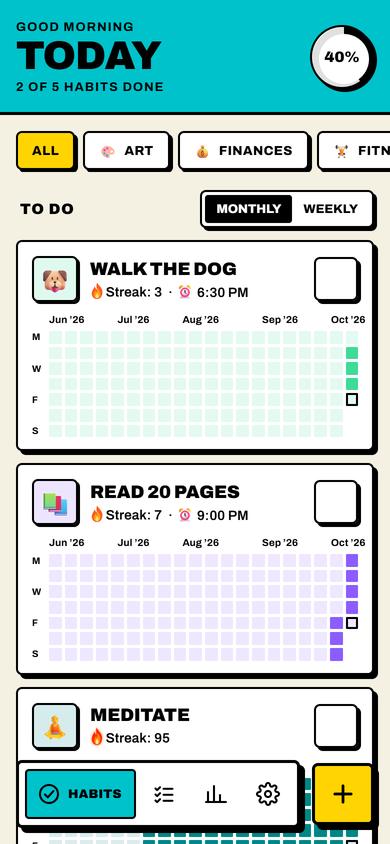
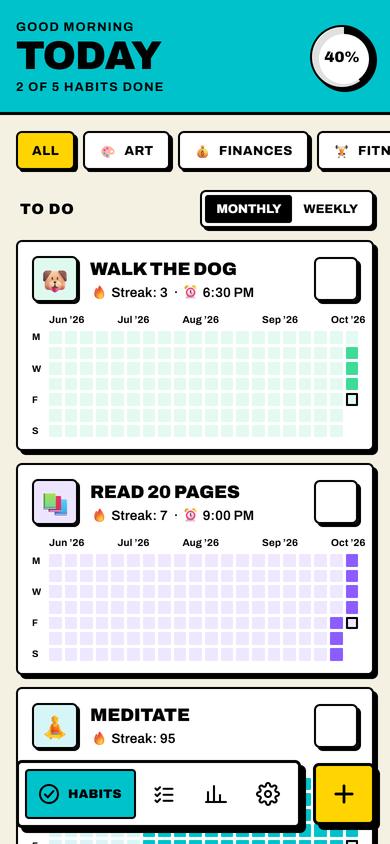
  • A whole new look: bold and high-contrast, with thick outlines, solid colour blocks and loud type. Each tab has its own colour: Habits teal, To-do yellow, Stats magenta.
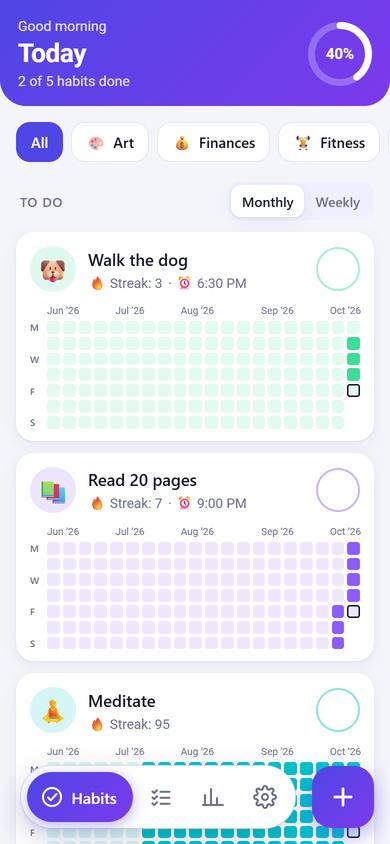
  • A calm new dark mode: midnight navy with one soft periwinkle accent, thin outlines and no harsh blocks.
  • A new set of 10 habit colours that stand out in both light and dark mode: blue, violet, purple, magenta, pink, red, orange, green, teal and sky. Habits you already have switch to the nearest new colour.
  • A new app icon and a matching home-screen widget.
  • Your streak flame comes alive: it starts flickering at 30 days, burns harder with embers at 90, turns into Godzilla-blue atomic fire at 180 and Godzilla-pink at 365. (It stays still if your phone is set to reduce motion.)
  • Update notifications: when a new version is out, you get a notification (within about an hour). Tap it to open Settings and update.

Changed

  • Ticks are black on light colours and white on dark ones, so they're always easy to see.
  • Breathing exercises, eye exercises and the like are no longer treated as gym workouts in Lists.
  • New versions are offered as soon as they're released, instead of a day later.
  • The bottom bar always shows the name of the tab you're on, on every screen size and font size.
  • Switches (like Reminder) are now old-school slide switches marked ON and OFF, and the knob no longer sticks out of the track.
  • Tapping a habit or a task opens its panel with Edit and Delete side by side. Tasks now get their own panel too, showing the due date, reminder and notes, with Mark as done. Delete is no longer inside the edit screens.
  • Holding a habit or a task now lifts it out of the list over a lightly blurred page, with Edit and Delete icons right under it, instead of opening a menu at the bottom.
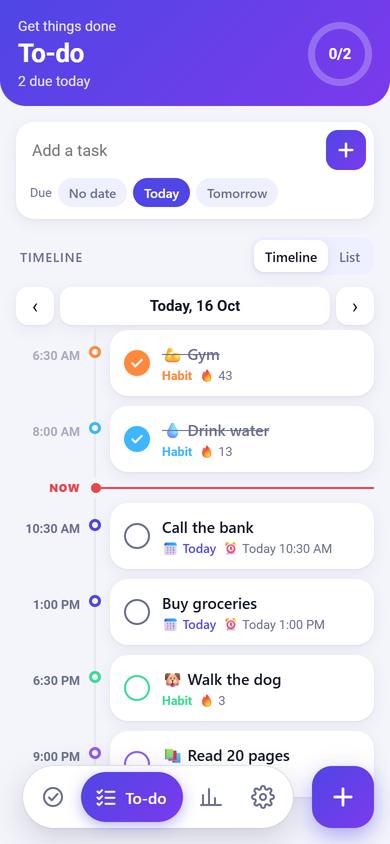
  • The Now line in the To-do timeline shows the current time, ticking to the second.
A whole new look
After: A whole new look
Before: A whole new look
Before · 1.11After · 1.12
1.11
14 Oct 2026

New

  • Weekly gym split: after creating a gym habit you can plan each day (like Mon Chest, Tue Legs). Pick a day at the top, name it, and add or remove its exercises, or mark it Rest. It's remembered every week, and it's optional: you can still just list exercises in To-do → Lists.
  • Rest days in a split don't send a reminder and don't break the streak.
  • Edit or remove the split any time from the workout card in Lists.
  • Swipe left or right to move between Habits, To-do, Stats and Settings.

Changed

  • Picking a day at the top of To-do no longer switches to the Timeline: Lists shows that day too, like the day's workout plan.
Workouts in Lists
After: Workouts in Lists
Before: Workouts in Lists
Before · 1.10After · 1.11
1.10
13 Oct 2026

New

  • Lists: the To-do List view is now Lists, just for special lists. Shopping tasks (like Buy groceries) get a checklist of items; workout habits (like Gym) get a checklist of exercises that starts fresh each day, and ticking them all marks the habit done.
  • The Timeline widget shows today's screen time at the top. Allow it once in Settings → Widget → Screen time.
  • Monthly habits: under Repeat, tap Monthly and pick the dates (like the 1st and 15th). The 31st falls on the last day of shorter months.
  • Hold a habit or a task for a moment to Edit or Delete it.

Changed

  • Everything else in To-do is on the Timeline: tasks with no date at the bottom of today, then Completed (with Clear completed).
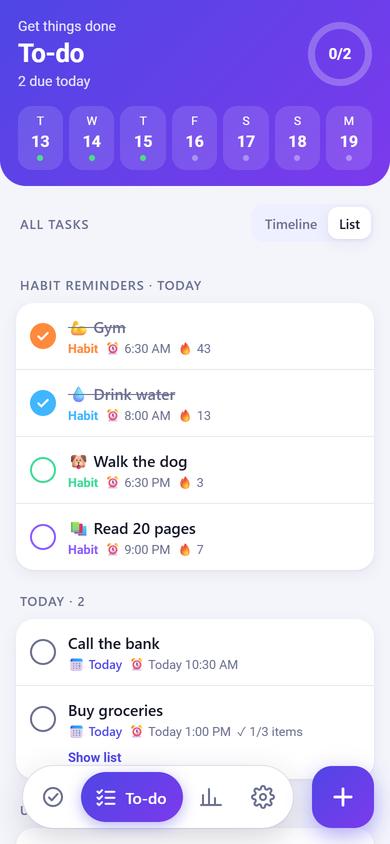
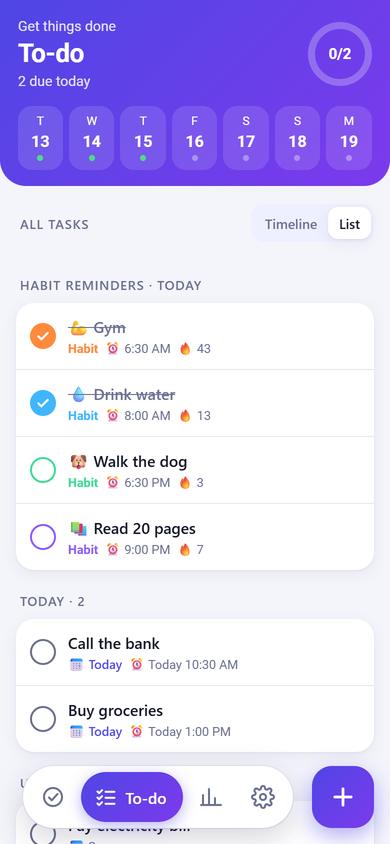
  • Habits without a reminder now show in To-do too, at the bottom of the Timeline (and on the widget) after everything with a time. In List view, Habit reminders is now Habits, with the reminded ones first.

Removed

  • The lock-screen widget and the lock-screen timeline notification.
Shopping lists inside tasks
After: Shopping lists inside tasks
Before: Shopping lists inside tasks
Before · 1.9After · 1.10
1.9
13 Oct 2026

New

  • Tick things off from the home-screen widget: tap it once, then tap a circle. Ticks show in the app next time you open it.
  • Timeline on the lock screen: turn it on in Settings to see today's timeline and your screen time on the lock screen.
  • A Timeline + screen time widget for phones that allow app widgets on the lock screen.
  • More habit icons: tap See all next to Icon for over 300, in groups.
  • 11 categories built in: Art, Finances, Fitness, Health, Nutrition, Productivity, Social, Morning, Day, Evening and Other.
  • Smarter icons for new habits: many more names get a fitting icon, like Boxing 🥊, Tennis 🎾, Cold shower 🚿, Laundry 🧺 and Walk the dog 🐶.
  • When you name a habit, its icon and colour show next to the name as they're picked. Tap it to choose another icon.
  • Tasks have icons too, picked from the name (Buy groceries 🛒, Pay bills 🧾). Tap the icon next to the name to change it or remove it.

Changed

  • + Custom in the habit editor adds a category to that habit only. To keep a category for other habits, add it in Settings → Categories.
  • The built-in categories can't be deleted. Mind stays as one of your own, and you can delete it in Settings.
  • The Timeline widget now looks like the To-do Timeline: times, coloured dots, cards and the Now line.

📷 Most of this update is in the habit editor (icons, categories) and the widget.

1.8
13 Oct 2026

New

  • Home-screen widget: today's timeline at a glance, with a Now line that moves on through the day. Long-press your home screen, tap Widgets, find Torchday and drag Timeline onto your screen. Drag its edges to resize it; tap it to open To-do.

📷 This update is on your home screen: the new Timeline widget.

1.7
13 Oct 2026

New

  • New habits pick an icon, colour and categories from their name as you type. Tap any of them to choose your own.
  • To-do Timeline: your day in time order, with habit reminders, timed tasks, overdue tasks and a Now line. Use ‹ › to see other days.
  • Habits with a reminder now also appear in To-do. Ticking one there ticks the habit.
  • Habits has a Weekly view: this week's days for each habit at a glance. Monthly is the view you know, and still where you tick habits off.

Changed

  • To-do opens on the Timeline. Switch to List for the previous view.
  • The strip of days has moved from Habits to To-do: tap a day to see its timeline.
  • Habits are listed by reminder time. Ticking one moves it to the bottom.
  • Habits can only be marked for today. Past days can no longer be changed.

Removed

  • The Add a task box at the top of To-do. Tap + to add a task.
The Timeline
After: The Timeline
Before: The Timeline
Before · 1.6After · 1.7
1.6
13 Oct 2026

New

  • In-app updates: when a new version is ready, the Settings tab shows a dot and Settings lists what's new. Tap Update to install it.
  • Settings → About → Check for updates.

📷 Updates appear in Settings on your phone, with a dot when one is ready.

1.5
13 Oct 2026

New

  • Time format setting: 12-hour or 24-hour (Settings → Appearance).

Changed

  • Date and time pickers follow the app's light or dark theme.
  • The time picker uses scroll wheels that loop round, so any minute can be picked.
  • New reminders start at the current time.
  • The email code box works with codes of any length.

📷 The new date and time pickers open while you add or edit a habit or task, so there's no before and after of a whole screen.

1.4
13 Oct 2026

New

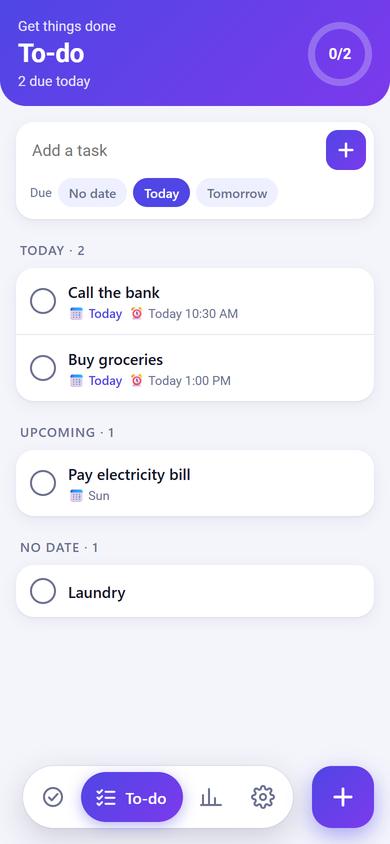
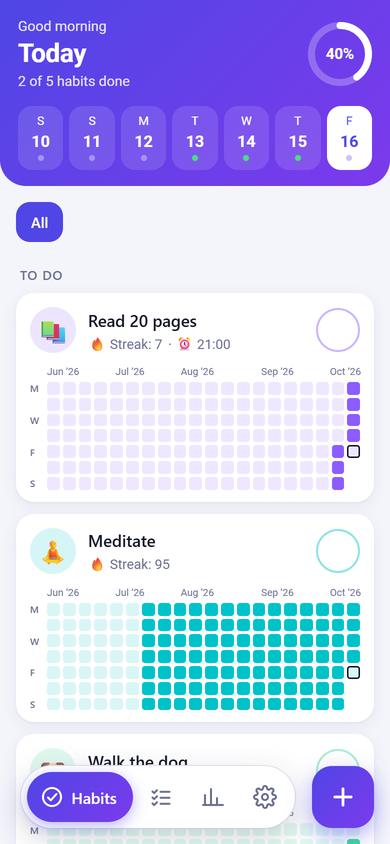
  • Reminders for habits and tasks, with notifications even when the app is closed.
  • Settings → Reminders for notification and exact-timing permissions.
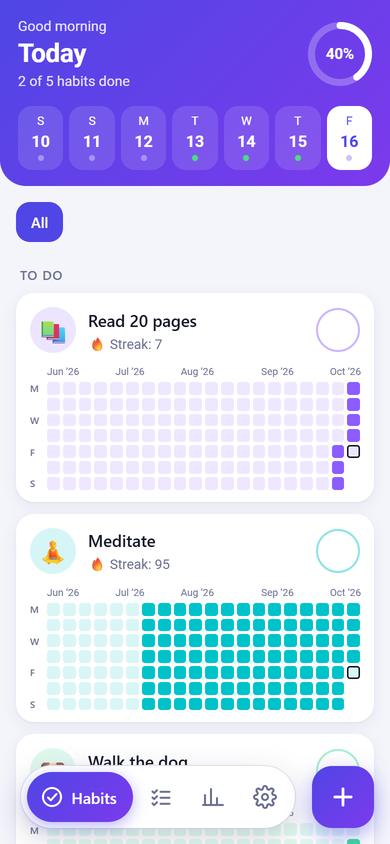
Reminder times on habits
After: Reminder times on habits
Before: Reminder times on habits
Before · 1.3After · 1.4
1.3
13 Oct 2026

New

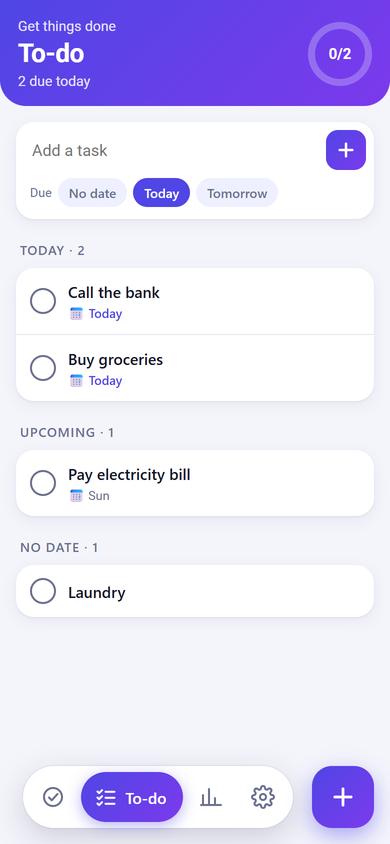
  • To-do tab with due dates, notes and a Completed list.
A To-do tab
After: A To-do tab
Before: A To-do tab
Before · 1.1After · 1.3
1.2
12 Oct 2026

New

  • Accounts: sign in with email or Google and your habits sync automatically.
  • Usernames.
Sign in to back up and sync
After: Sign in to back up and sync
Before: Sign in to back up and sync
Before · 1.1After · 1.2